Dashboard
The Sales Dashboard serves as the central hub for the Sales Management module, providing a quick overview of sales activities and quick access to key functionalities.
Overview
The dashboard allows users to:
- Monitor high-level sales performance.
- Access detailed analytics and reports.
- Navigate to order management and pricing configurations.
Key Features
- Quick Links: Easy access to specific modules like Sales Orders, Pricing Plans, and Request processing.
- Status Indicators: Visual cues for pending, approved, and rejected orders.
- Metric Highlights: Summary of critical data points such as total sales today/month (detailed views available in Analytics).
Sidebar Navigation
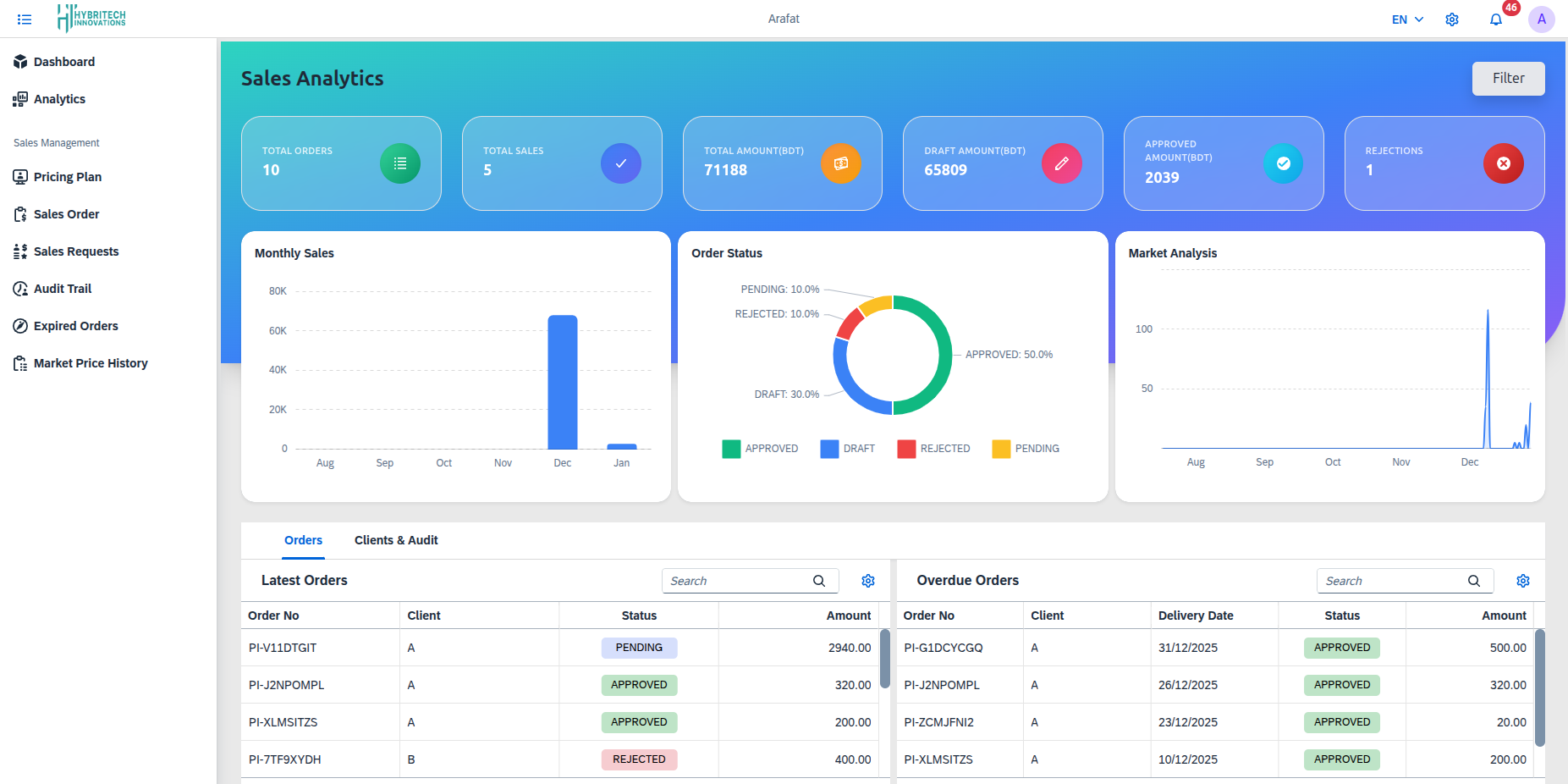
The Sales Module sidebar serves as the primary navigation panel, providing users with structured access to all available sales-related functionalities. The sidebar includes menu options such as Analytics, and essential sales management features including Pricing Plan, Sales Order, Sales Requests, Audit Trail, Expired Orders, and Market Price History. Each menu option enables users to efficiently manage sales activities, monitor orders, and review previous records within the system.
From the sidebar, you can access the following sections:
- Sales Analytics: Deep dive into sales trends, charts, and KPIs.
- Pricing Plan: Manage product catalog, stocks, and unit prices.
- Sales Order: Create, view, and process customer orders.
- Sales Requests: Handle incoming sales inquiries.
- Audit Trail: Track system activities and user actions.
- Expired Orders: View orders that have passed their validity or delivery date.
- Market Price History: Layout historical data on market pricing trends.