Item Type
This section provides details and working steps for managing Item Types.
How it Works (Working Steps):
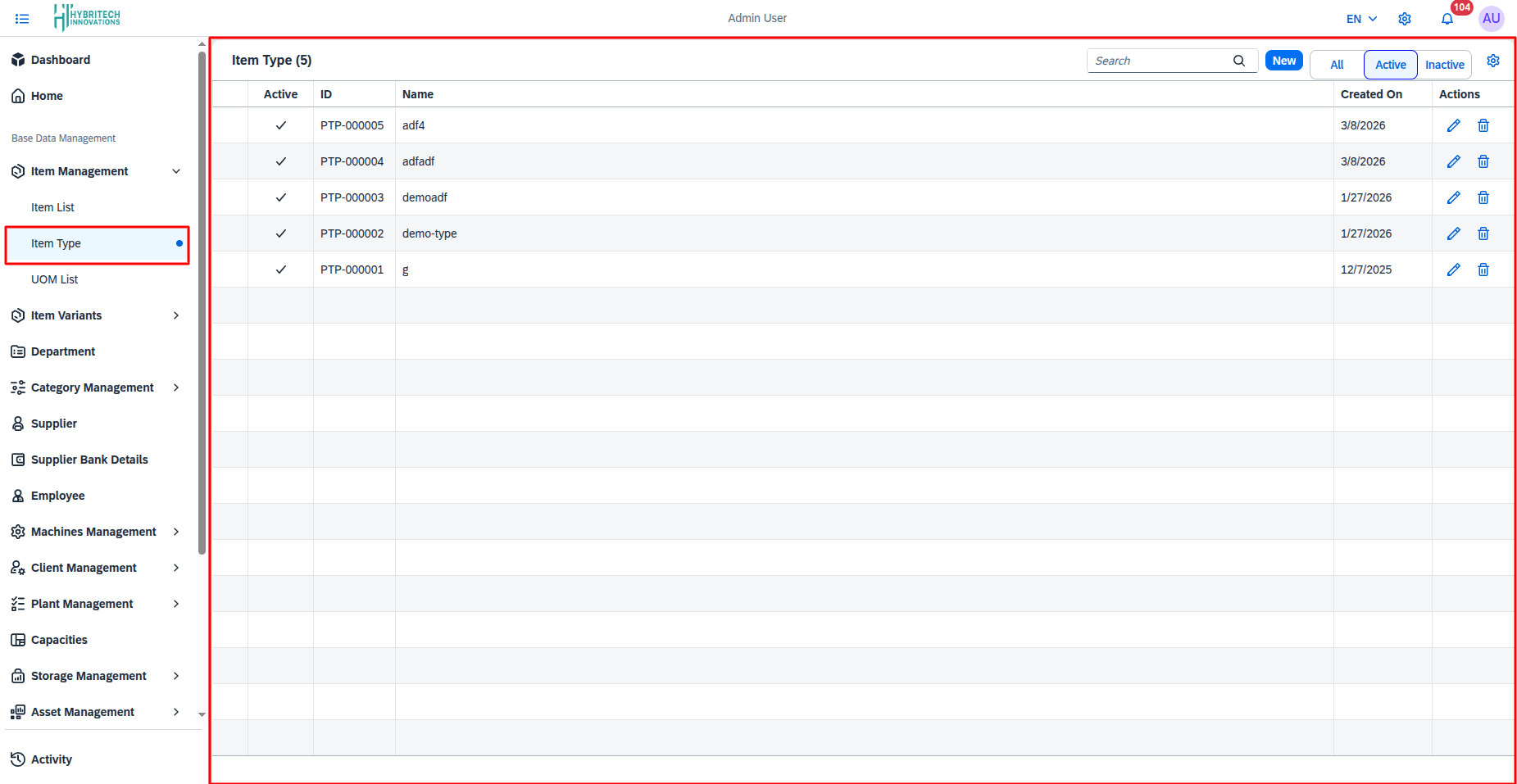
- Navigate to Base Data Management > Item Management > Item Type.
- The page displays a list of all existing Item Types with columns for Active status, ID, Name, and Created On date.
- Use the Search bar to quickly find specific item types.
- Filter the records using the All, Active, and Inactive buttons at the top right.
- In the Actions column, click the Edit icon to modify an item type, or the Delete icon to remove it.
Add Item Type
Documentation for creating a new Item Type.
How it Works (Working Steps):
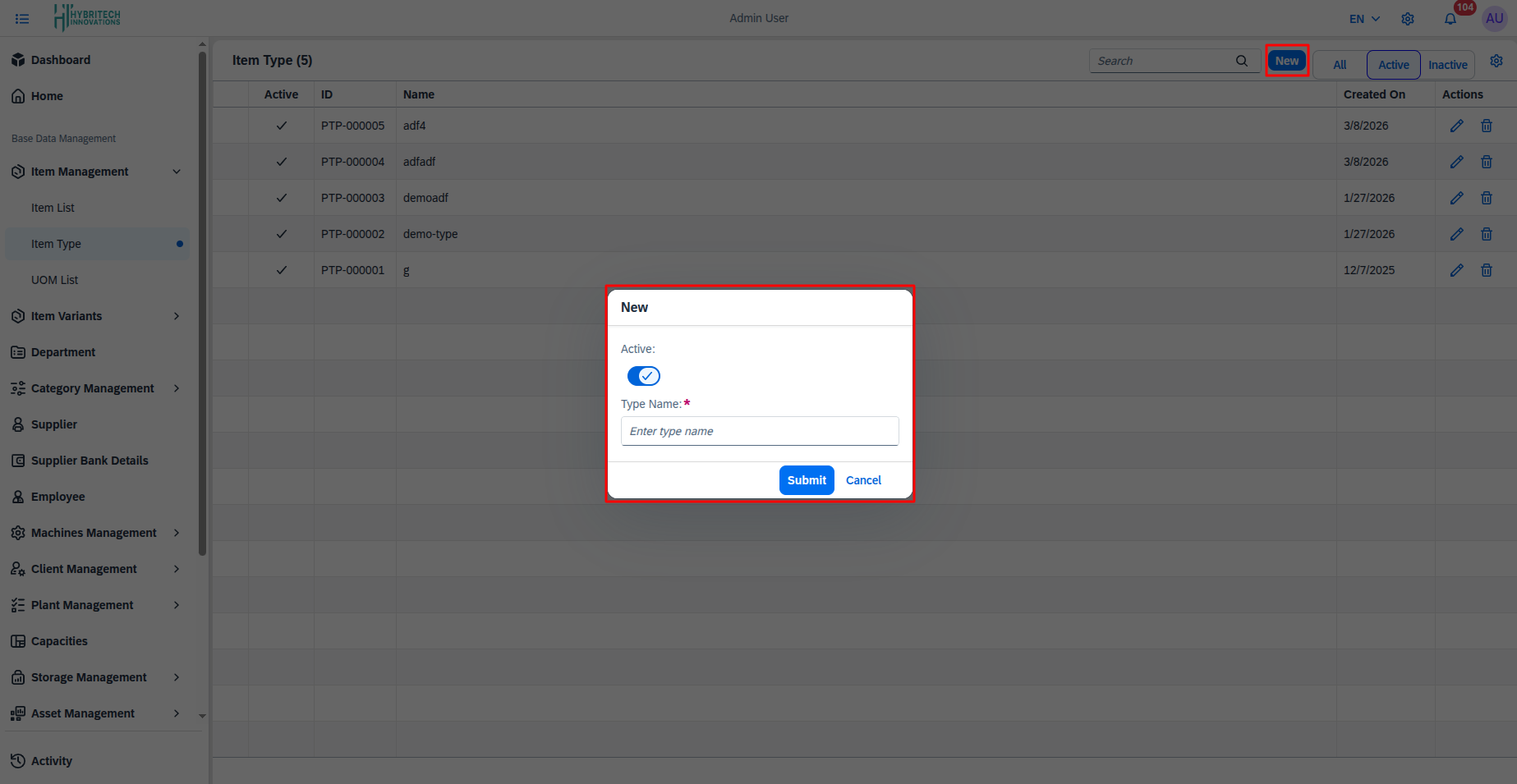
- Click on the New button at the top right corner of the Item Type page.
- A New pop-up modal will appear.
- Toggle the Active switch to specify if the new item type should be active (turned on by default).
- Enter the required descriptive name in the Type Name field.
- Click the Submit button to save the new item type, or click Cancel to close the modal without saving.