UOM List
This section provides details and working steps for managing the Unit of Measurement (UOM) list.
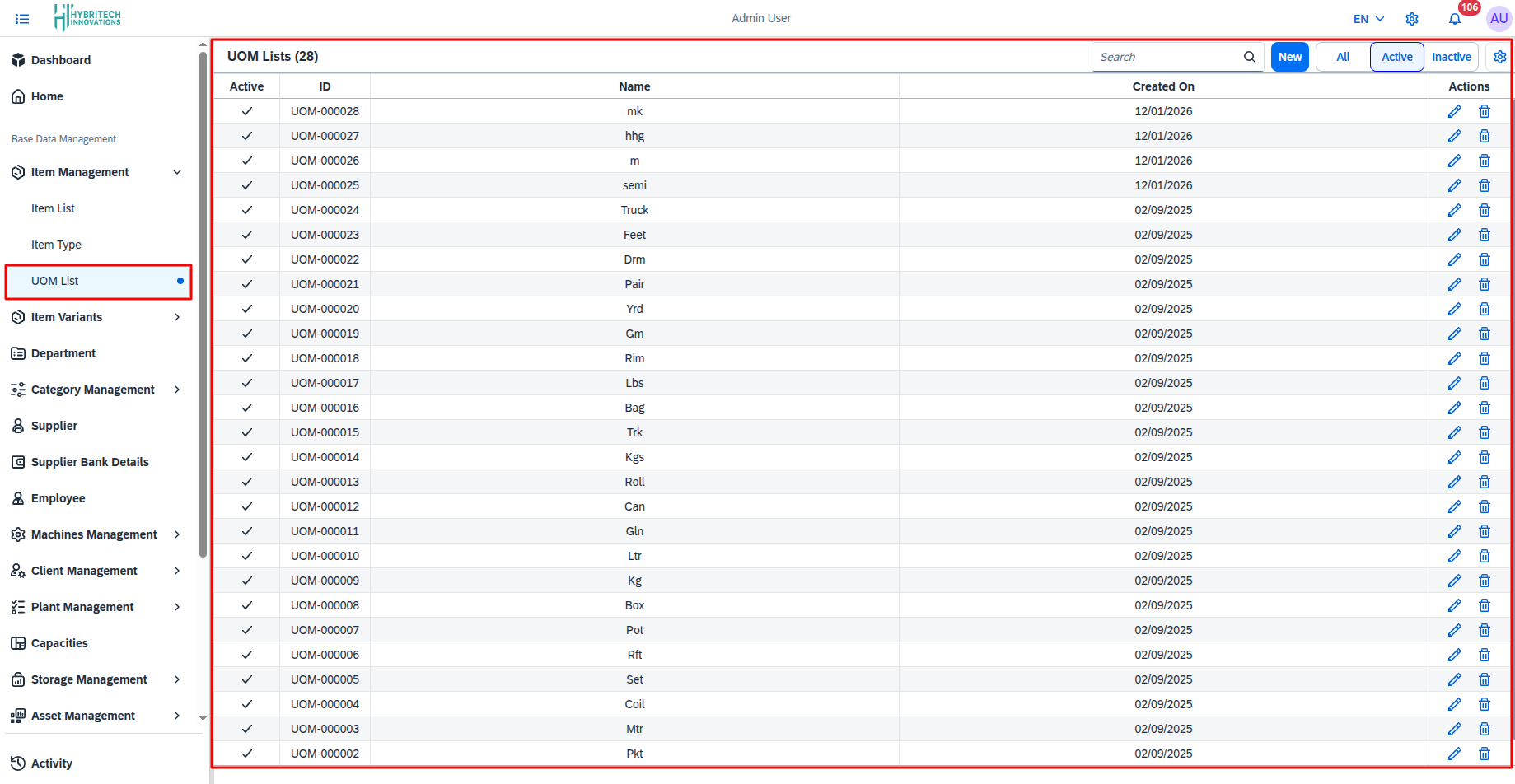
How it Works (Working Steps):
- Navigate to Base Data Management > Item Management > UOM List.
- The page presents a comprehensive table displaying all available UOMs, detailing their Active status, ID, Name, and Created On date.
- Use the Search field to locate a specific UOM by name or ID.
- Toggle between All, Active, and Inactive tabs to filter the main view.
- Use the Edit and Delete icons inside the Actions column to manage existing records.
UOM Add
Documentation for creating a new Unit of Measurement (UOM).
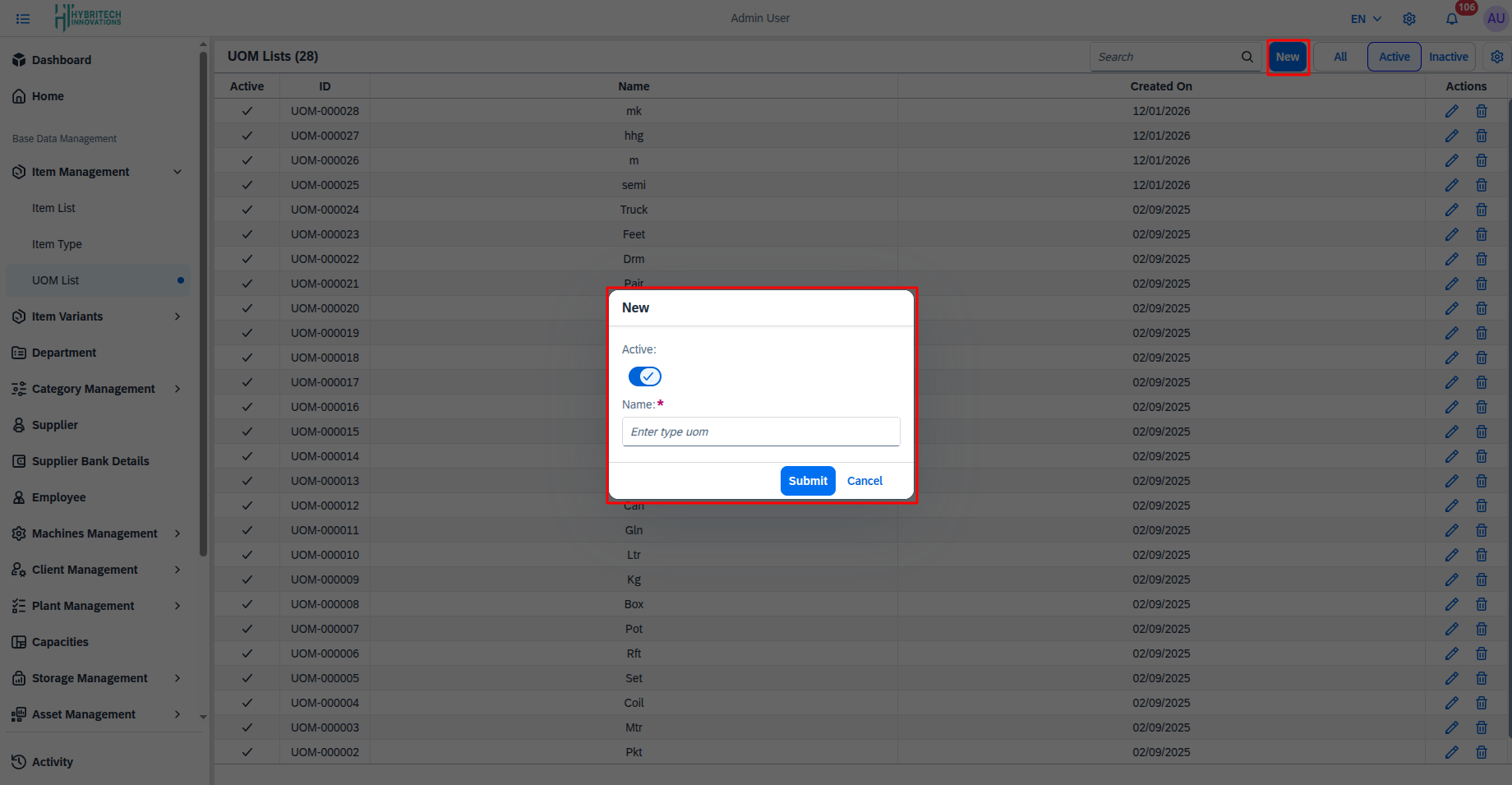
How it Works (Working Steps):
- Click the New button situated at the top right of the UOM List page.
- A New creation modal will securely prompt on the screen.
- Use the Active toggle switch to set the default state of the UOM.
- Provide the appropriate measurement name in the mandatory Name input field.
- Complete the process by clicking the Submit button, or hit Cancel to dismiss the form.